react-native-image-marker
Usage Guide
This guide keeps the full visual cookbook for react-native-image-marker. Start from the short tasks in the README when you only need the common flows, then use this page when you want every option and sample image together.
Contents
- Choosing an API
- Responsive watermark size
- Text background fit
- Text background stretchX
- Text background stretchY
- Text background border radius
- Text with shadow
- Multiple text watermarks
- Text rotation
- Icon watermarks
- Sharp QR and icon watermarks
- Multiple icon watermarks
- Mixed text and icon watermarks
- Background rotation
- Icon rotation
- Transparent background
- Transparent icon
Detailed Examples
Choosing an API
Use the API that matches the watermark shape you are rendering:
| API | Best for | Status |
|---|---|---|
Marker.markText |
Text-only watermarks, including multiple text layers | Supported |
Marker.markImage |
Image-only watermarks, including multiple logo/icon layers | Supported |
Marker.mark |
Ordered mixed text and image layers in one native render pass | Supported |
markText and markImage remain first-class APIs. Use mark when text and image watermarks need to be composed together, especially when layer order matters.
Responsive watermark size
fontSize is applied to the output bitmap. If two background images have different pixel dimensions, the same fontSize will occupy a different percentage of each image.
To keep the visual size consistent across different image resolutions, set fontSizeRatio. The native renderer calculates the actual font size from the background image width before drawing the text:
await Marker.markText({
  backgroundImage: {
    src: imageUri,
    scale: 1,
  },
  watermarkTexts: [
    {
      text: 'watermark',
      positionOptions: {
        position: Position.center,
      },
      style: {
        color: '#ffffff',
        fontName: 'Arial',
        fontSizeRatio: 0.03,
      },
    },
  ],
});
Choose the multiplier for your design. For example, 0.03 means the text size is about 3% of the background image width. If both fontSizeRatio and fontSize are set, fontSizeRatio is used.
Text background fit
API
Sample
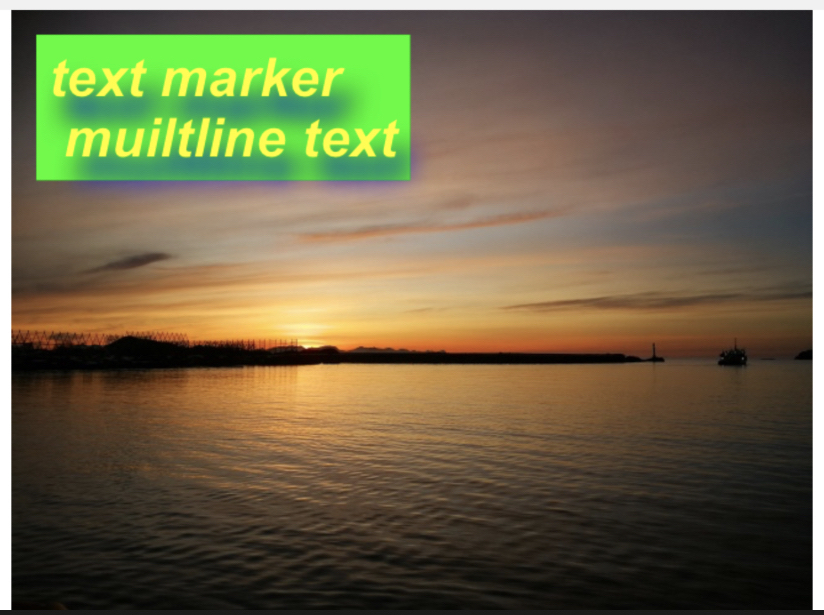
Example
example code
```typescript import Marker, { Position, TextBackgroundType } from "react-native-image-marker" ··· const options = { // background image backgroundImage: { src: require('./images/test.jpg'), scale: 1, }, watermarkTexts: [{ text: 'text marker \n multiline text', position: { position: Position.topLeft, }, style: { color: '#ff00ff', fontSize: 30, fontName: 'Arial', shadowStyle: { dx: 10, dy: 10, radius: 10, color: '#008F6D', }, textBackgroundStyle: { padding: '10% 10%', type: TextBackgroundType.none, color: '#0FFF00', }, }, }], scale: 1, quality: 100, filename: 'test', saveFormat: ImageFormat.png, }; Marker.markText(options); ```Text background stretchX
API
Sample
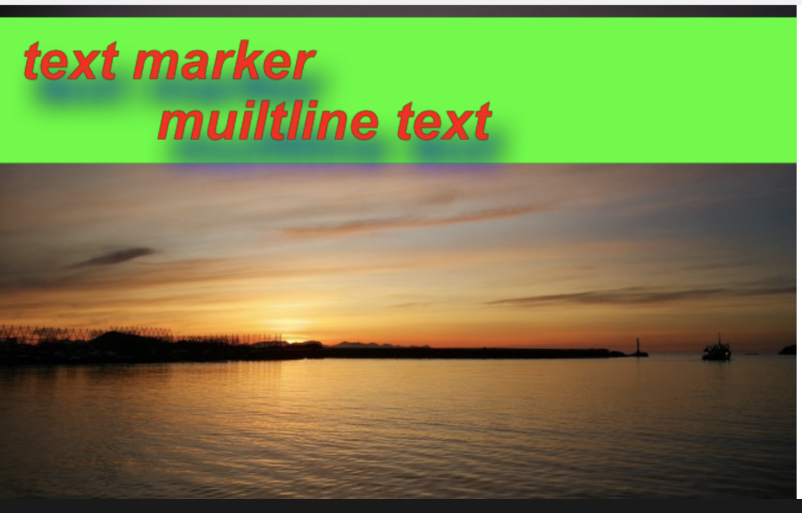
Example
example code
```typescript import Marker, { Position, TextBackgroundType } from "react-native-image-marker" ··· const options = { // background image backgroundImage: { src: require('./images/test.jpg'), scale: 1, }, watermarkTexts: [{ text: 'text marker \n multiline text', position: { position: Position.topLeft, }, style: { color: '#FC0700', fontSize: 30, fontName: 'Arial', shadowStyle: { dx: 10, dy: 10, radius: 10, color: '#008F6D', }, textBackgroundStyle: { padding: '10% 10%', type: TextBackgroundType.stretchX, color: '#0FFF00', }, }, }], scale: 1, quality: 100, filename: 'test', saveFormat: ImageFormat.png, }; Marker.markText(options); ```Text background stretchY
API
Sample
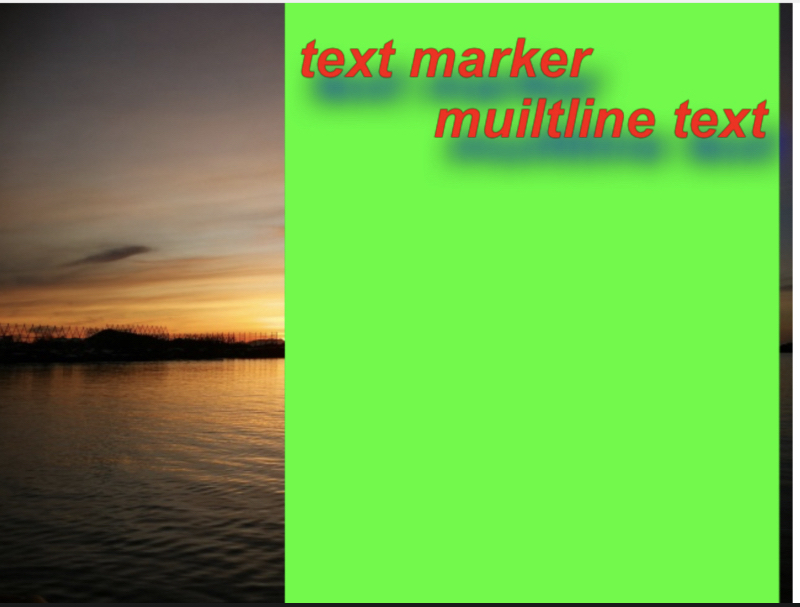
Example
example code
```typescript import Marker, { Position, TextBackgroundType } from "react-native-image-marker" ··· const options = { // background image backgroundImage: { src: require('./images/test.jpg'), scale: 1, }, watermarkTexts: [{ text: 'text marker \n multiline text', position: { position: Position.topLeft, }, style: { color: '#FC0700', fontSize: 30, fontName: 'Arial', shadowStyle: { dx: 10, dy: 10, radius: 10, color: '#008F6D', }, textBackgroundStyle: { padding: '10% 10%', type: TextBackgroundType.stretchY, color: '#0FFF00', }, }, }], scale: 1, quality: 100, filename: 'test', saveFormat: ImageFormat.png, }; ImageMarker.markText(options); ```Text background border radius
API
TextBackgroundType.cornerRadius
Sample
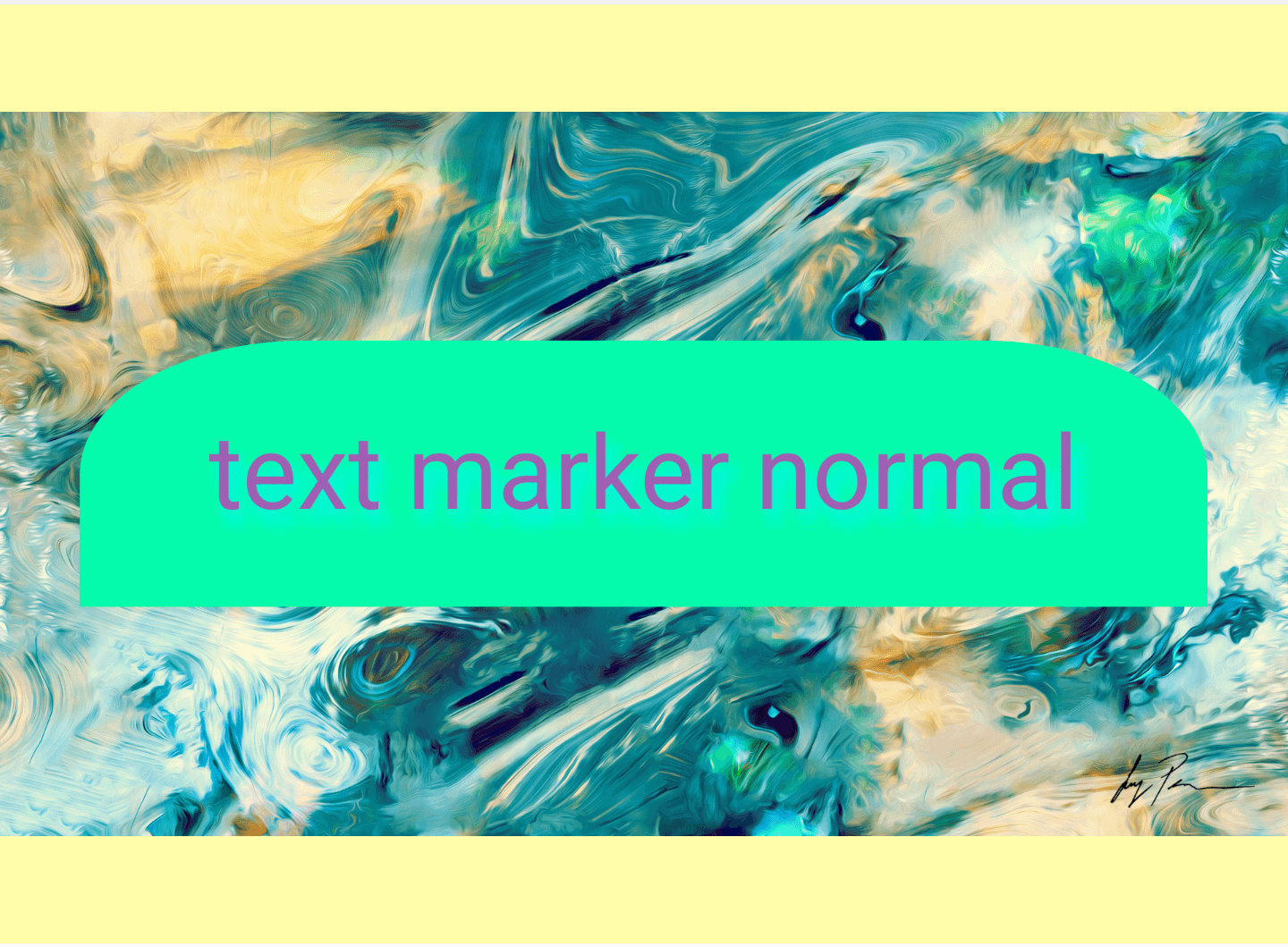
Example
example code
```typescript import Marker, { Position } from "react-native-image-marker" ··· const options = { // background image backgroundImage: { src: require('./images/test.jpg'), scale: 1, }, watermarkTexts: [{ text: 'text marker normal', position: { position: Position.center, }, style: { color: '#FC0700', fontSize: 30, fontName: 'Arial', shadowStyle: { dx: 10, dy: 10, radius: 10, color: '#008F6D', }, textBackgroundStyle: { padding: '10%', color: '#0fA', cornerRadius: { topLeft: { x: '20%', y: '50%', }, topRight: { x: '20%', y: '50%', }, }, }, }, }], scale: 1, quality: 100, filename: 'test', saveFormat: ImageFormat.png, }; ImageMarker.markText(options); ```Text with shadow
API
Sample
Example
example code
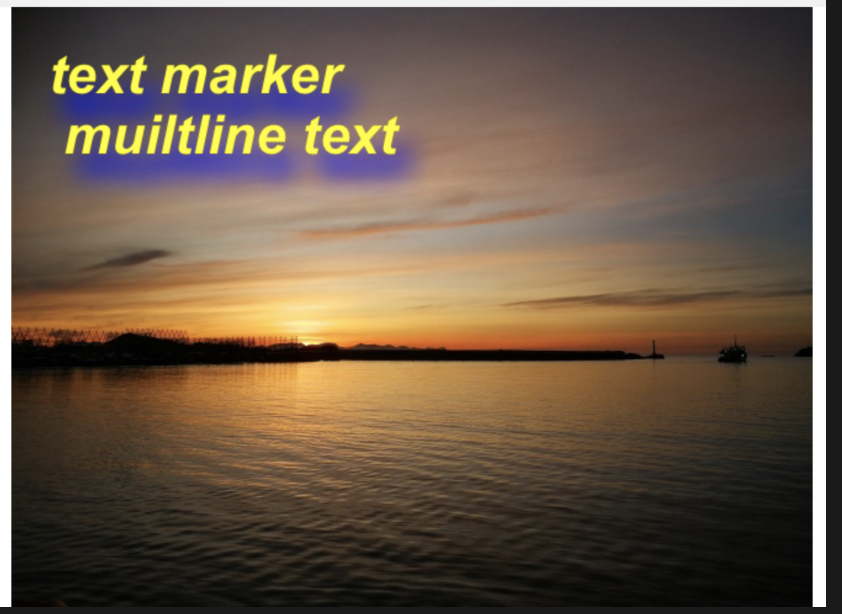
```typescript import Marker, { Position, TextBackgroundType } from "react-native-image-marker" ··· const options = { // background image backgroundImage: { src: require('./images/test.jpg'), scale: 1, }, watermarkTexts: [{ text: 'text marker \n multiline text', position: { position: Position.topLeft, }, style: { color: '#F4F50A', fontSize: 30, fontName: 'Arial', shadowStyle: { dx: 10, dy: 10, radius: 10, color: '#6450B0', }, }, }], scale: 1, quality: 100, filename: 'test', saveFormat: ImageFormat.png, }; Marker.markText(options); ```Multiple text watermarks
Sample
Example
example code
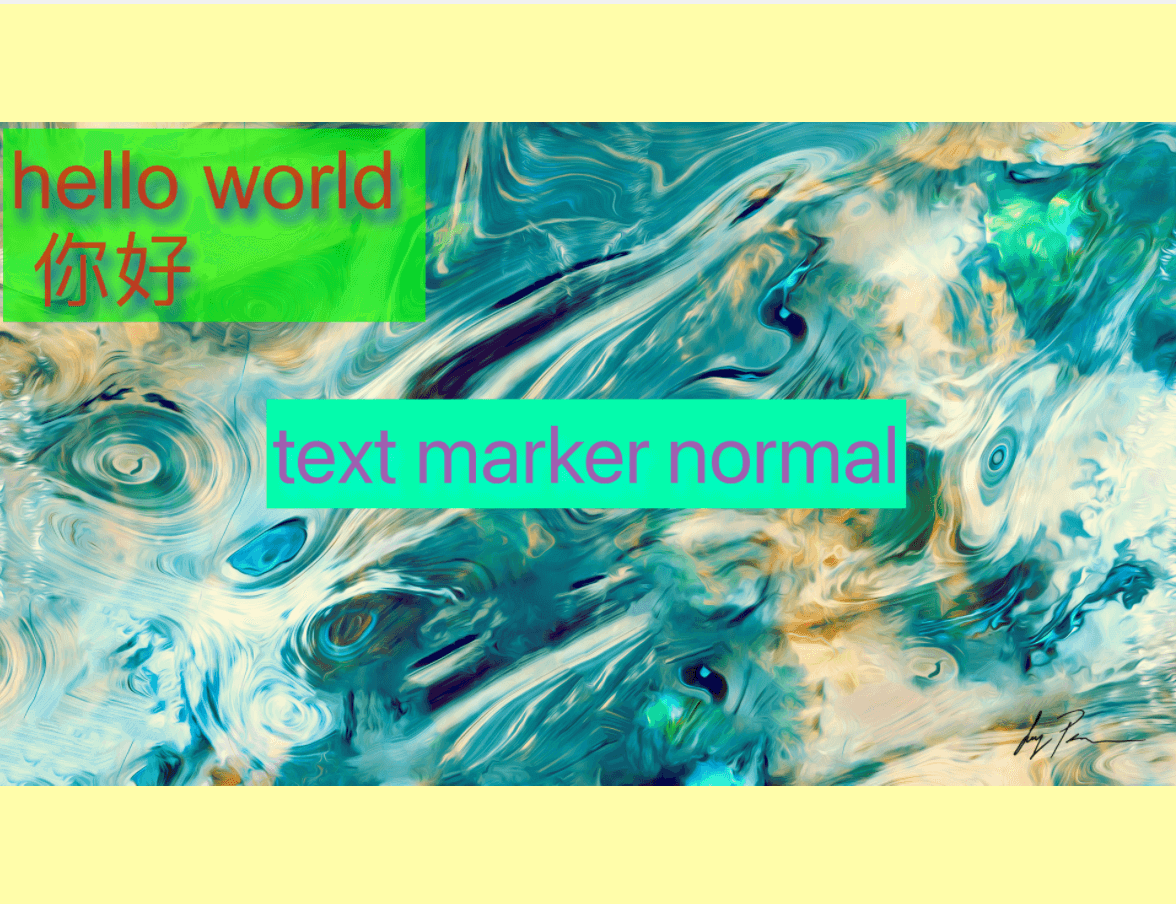
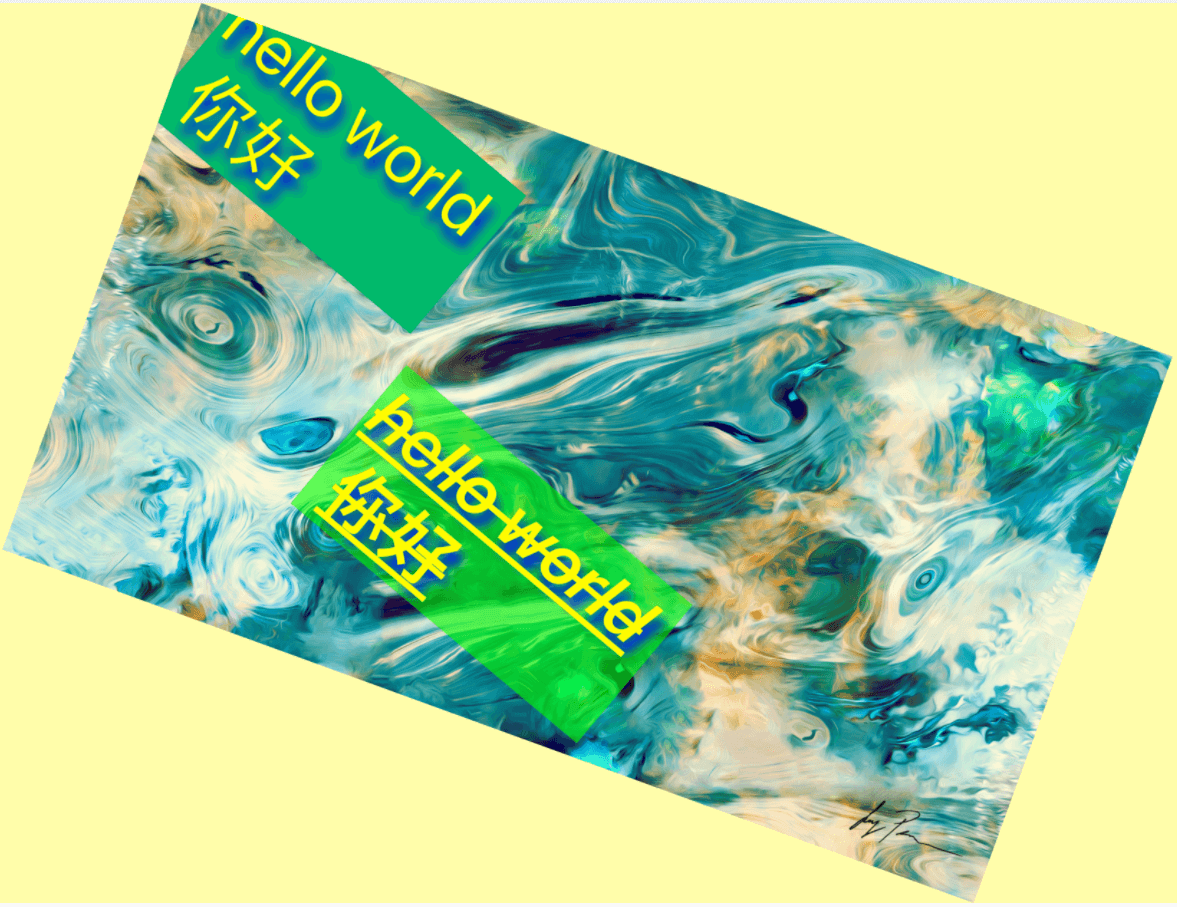
```typescript import Marker, { Position, TextBackgroundType } from "react-native-image-marker" ··· Marker.markText({ backgroundImage: { src: require('./images/test.jpg'), scale: 1, }, waterMarkTexts: [{ text: 'hello world \n 你好', position: { position: Position.topLeft, }, style: { color: '#BB3B20', fontSize: 30, fontName: 'Arial', textBackgroundStyle: { padding: '10% 10%', color: '#0FFF00', }, }, }, { text: 'text marker normal', position: { position: Position.topRight, X: 60, Y: 60, }, style: { color: '#6450B0', fontSize: 30, fontName: 'Arial', textBackgroundStyle: { padding: '10% 10%', color: '#02FBBE', }, }, }], }) ```Text rotation
Sample
Example
example code
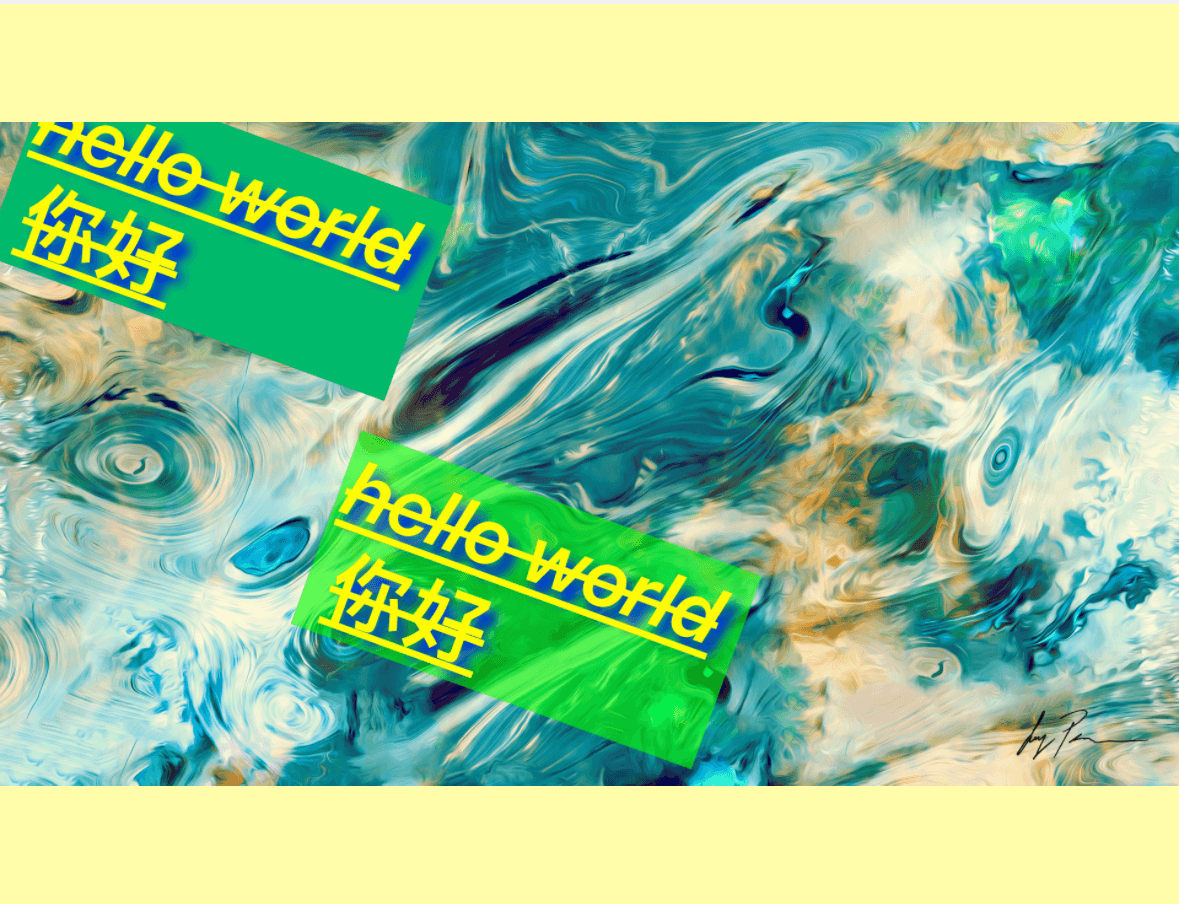
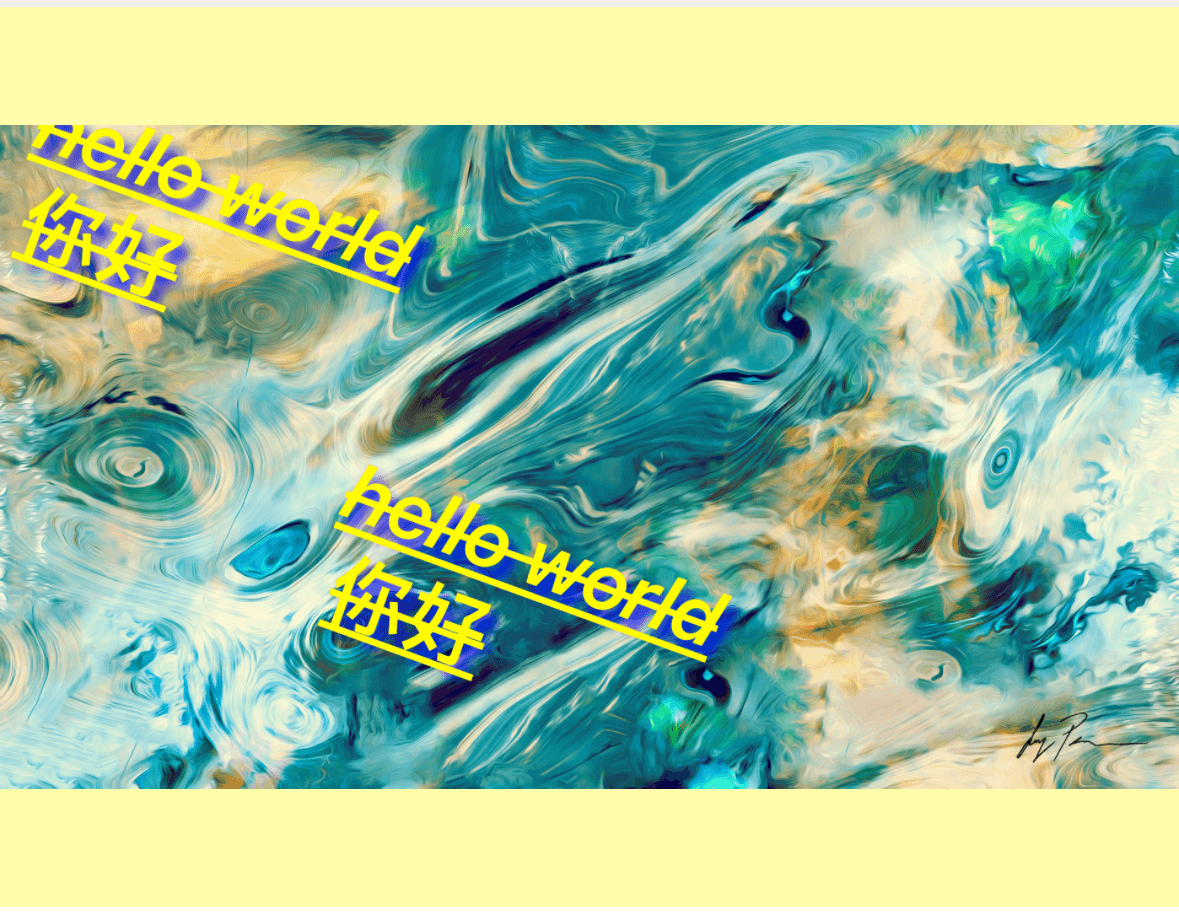
```typescript import Marker, { Position, TextBackgroundType } from "react-native-image-marker" ··· Marker.markText({ backgroundImage: { src: require('./images/test.jpg'), scale: 1, rotate: 30, }, waterMarkTexts: [{ text: 'hello world \n 你好', position: { position: Position.topLeft, }, style: { color: '#FFFF00', fontSize: 30, fontName: 'Arial', rotate: 30, textBackgroundStyle: { padding: '10% 10%', color: '#02B96B', }, strikeThrough: true, underline: true, }, }, { text: 'text marker normal', position: { position: Position.center, }, style: { color: '#FFFF00', fontSize: 30, fontName: 'Arial', rotate: 30, textBackgroundStyle: { padding: '10% 10%', color: '#0FFF00', }, strikeThrough: true, underline: true, }, }], }) ```Icon watermarks
Sample
Example
example code
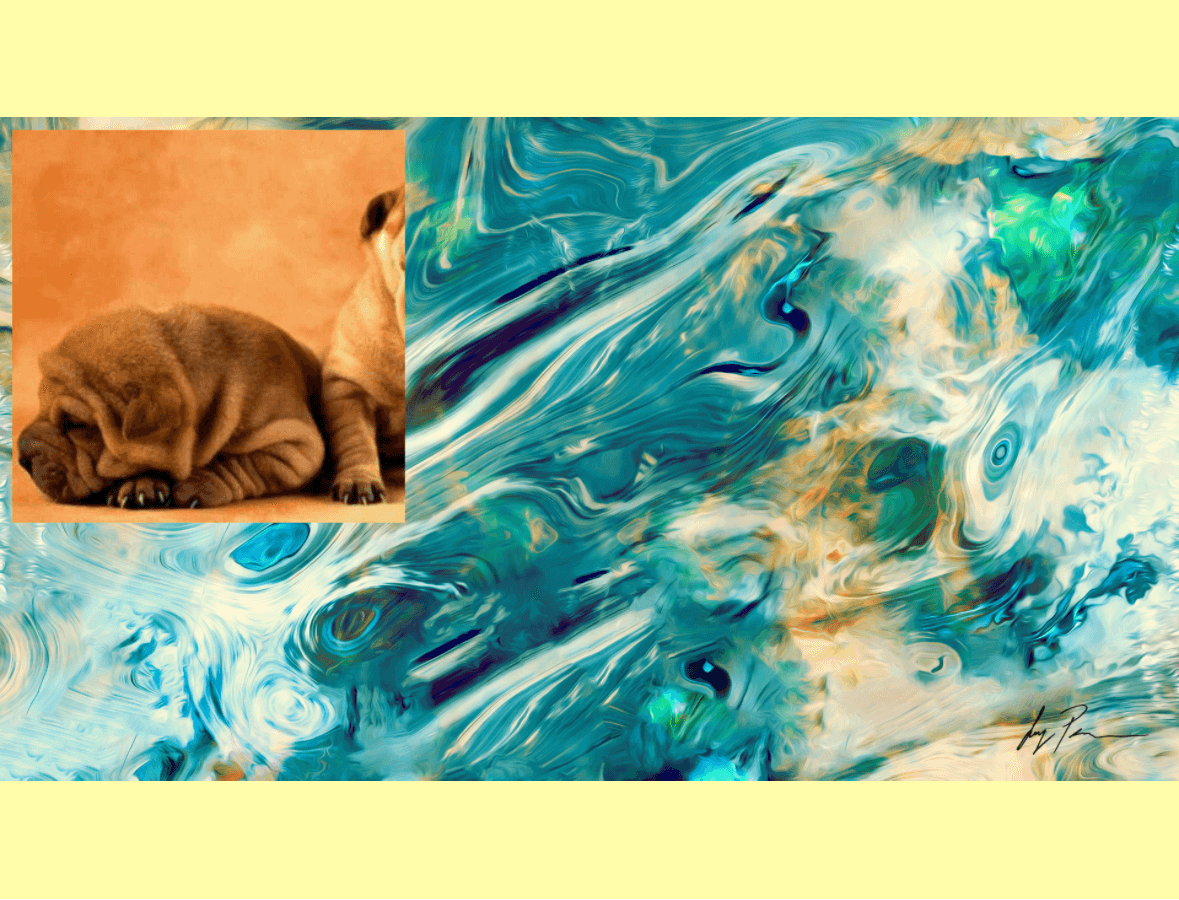
```typescript import Marker, { Position, TextBackgroundType } from "react-native-image-marker" ··· Marker.markImage({ backgroundImage: { src: require('./images/test.jpg'), scale: 1, }, watermarkImages: [{ src: require('./images/watermark.png'), position: { position: Position.topLeft, }, }], }) ```Sharp QR and icon watermarks
When the watermark is a QR code, barcode, pixel-art asset, or line-art logo, use PNG output so the saved image keeps hard edges. JPEG output can add compression artifacts even when quality is high.
Set the final watermark size with the image watermark scale field. The native renderer applies that scale while drawing the watermark, which keeps small, high-contrast assets sharper than pre-compressing the watermark source.
import Marker, { ImageFormat, Position } from "react-native-image-marker"

Marker.markImage({
  backgroundImage: {
    src: require('./images/test.jpg'),
    scale: 1,
  },
  watermarkImages: [{
    src: 'data:image/png;base64,iVBORw0KGgo...',
    position: {
      position: Position.bottomRight,
      X: 24,
      Y: 24,
    },
    scale: 0.25,
  }],
  saveFormat: ImageFormat.png,
  quality: 100,
})
Multiple icon watermarks
Note: require Android >= N, iOS >= iOS 13
API
Sample
Example
example code
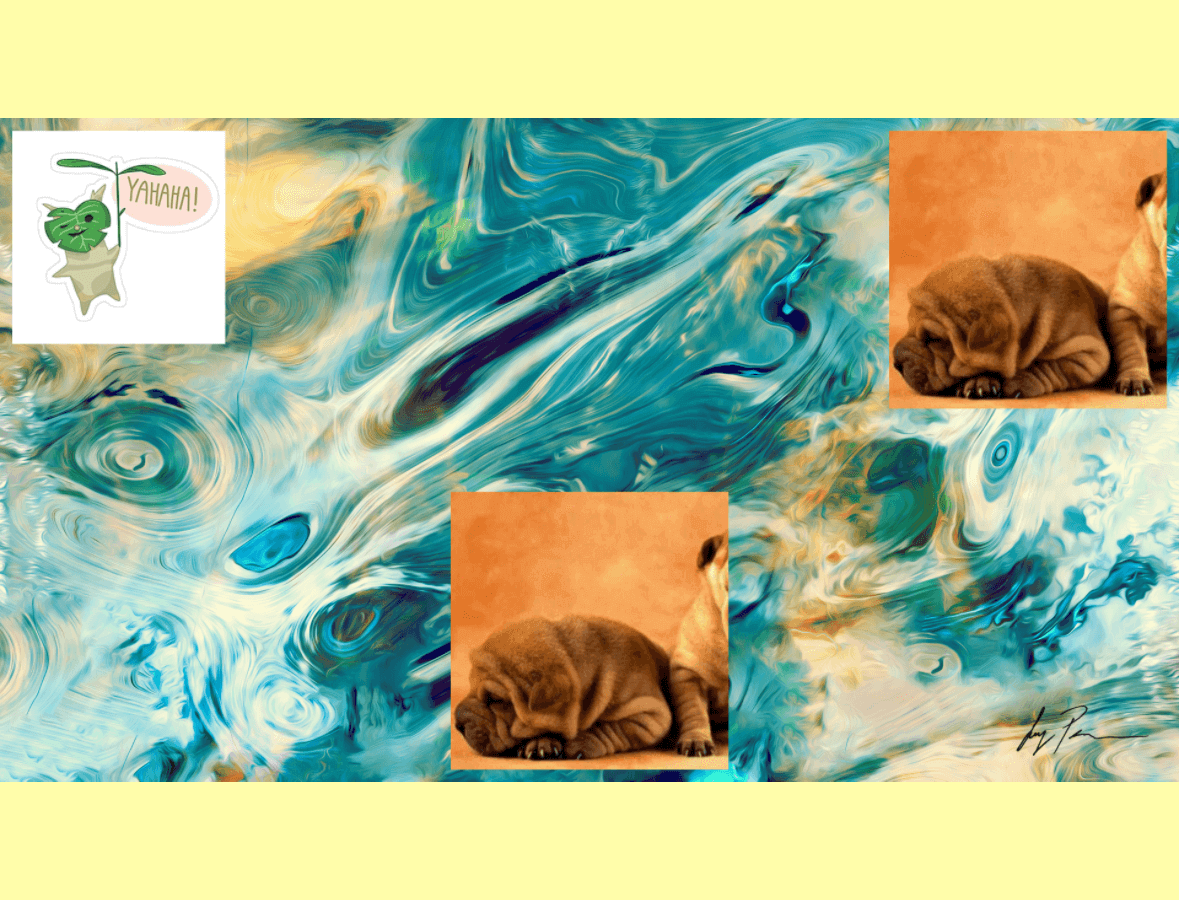
```typescript import Marker, { Position, TextBackgroundType } from "react-native-image-marker" ··· Marker.markImage({ backgroundImage: { src: require('./images/test.jpg'), scale: 1, }, watermarkImages: [{ src: require('./images/watermark.png'), position: { position: Position.topLeft, }, }, { src: require('./images/watermark1.png'), position: { position: Position.topRight, X: 60, Y: 60, }, }, { src: require('./images/watermark2.png'), position: { position: Position.bottomCenter, }, }], }) ```Mixed text and icon watermarks
Use Marker.mark when text and icon watermarks should be produced by one API call. The native renderer draws watermarks in array order, so later layers draw over earlier layers.
import Marker, { ImageFormat, Position, TextBackgroundType } from "react-native-image-marker"
···
Marker.mark({
  backgroundImage: {
    src: require('./images/test.jpg'),
    scale: 1,
  },
  watermarks: [{
    type: 'text',
    text: 'text marker',
    position: {
      position: Position.bottomCenter,
      Y: 24,
    },
    style: {
      color: '#FFFFFF',
      fontSize: 30,
      textBackgroundStyle: {
        type: TextBackgroundType.none,
        paddingX: 12,
        paddingY: 8,
        color: '#1E293BCC',
      },
    },
  }, {
    type: 'image',
    src: require('./images/watermark.png'),
    position: {
      position: Position.topRight,
      X: 24,
      Y: 24,
    },
    scale: 0.5,
  }],
  saveFormat: ImageFormat.png,
})
Background rotation
Sample
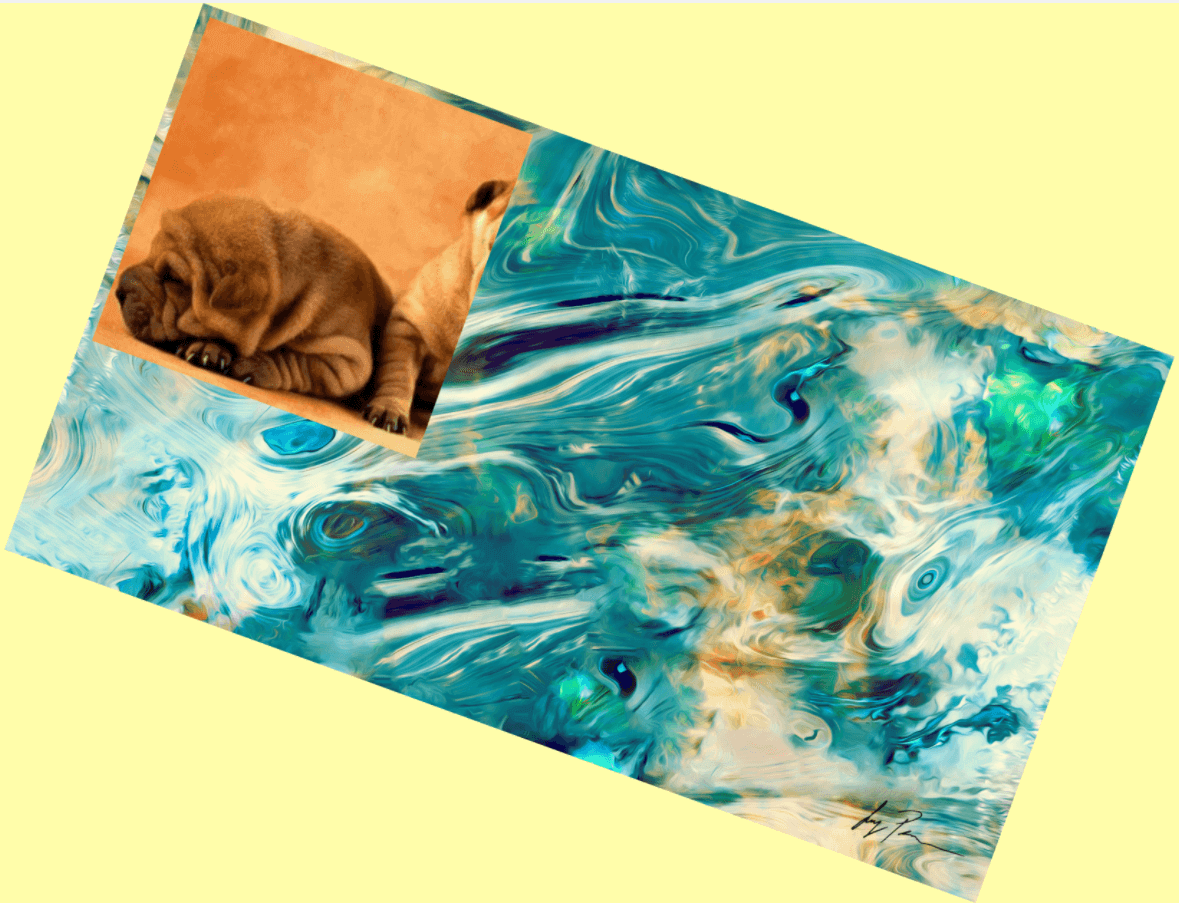
Example
example code
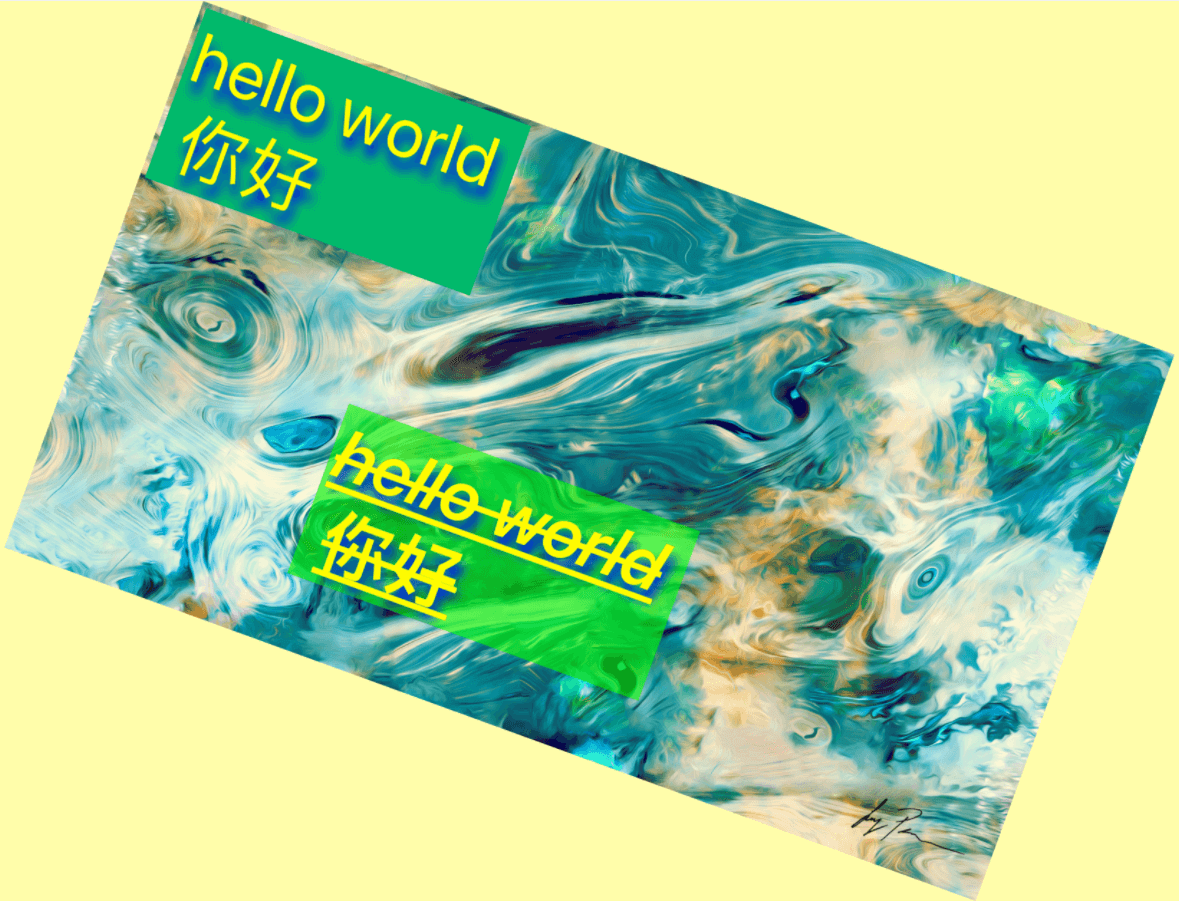
```typescript import Marker, { Position, TextBackgroundType } from "react-native-image-marker" ··· Marker.markImage({ backgroundImage: { src: require('./images/test.jpg'), scale: 1, rotate: 30, }, watermarkImages: [{ src: require('./images/watermark.png'), position: { position: Position.topLeft, }, }], }); Marker.markText({ backgroundImage: { src: require('./images/test.jpg'), scale: 1, rotate: 30, }, watermarkTexts: [{ text: 'hello world \n 你好', position: { position: Position.topLeft, }, style: { color: '#FFFF00', fontSize: 30, fontName: 'Arial', rotate: 30, textBackgroundStyle: { padding: '10% 10%', color: '#02B96B', }, shadowStyle: { dx: 10, dy: 10, radius: 10, color: '#008F6D', }, strikeThrough: true, underline: true, }, }, { text: 'hello world \n 你好', position: { position: Position.center, }, style: { color: '#FFFF00', fontSize: 30, fontName: 'Arial', textBackgroundStyle: { padding: '10% 10%', color: '#0FFF00', }, strikeThrough: true, underline: true, }, }], }) ```Icon rotation
Sample
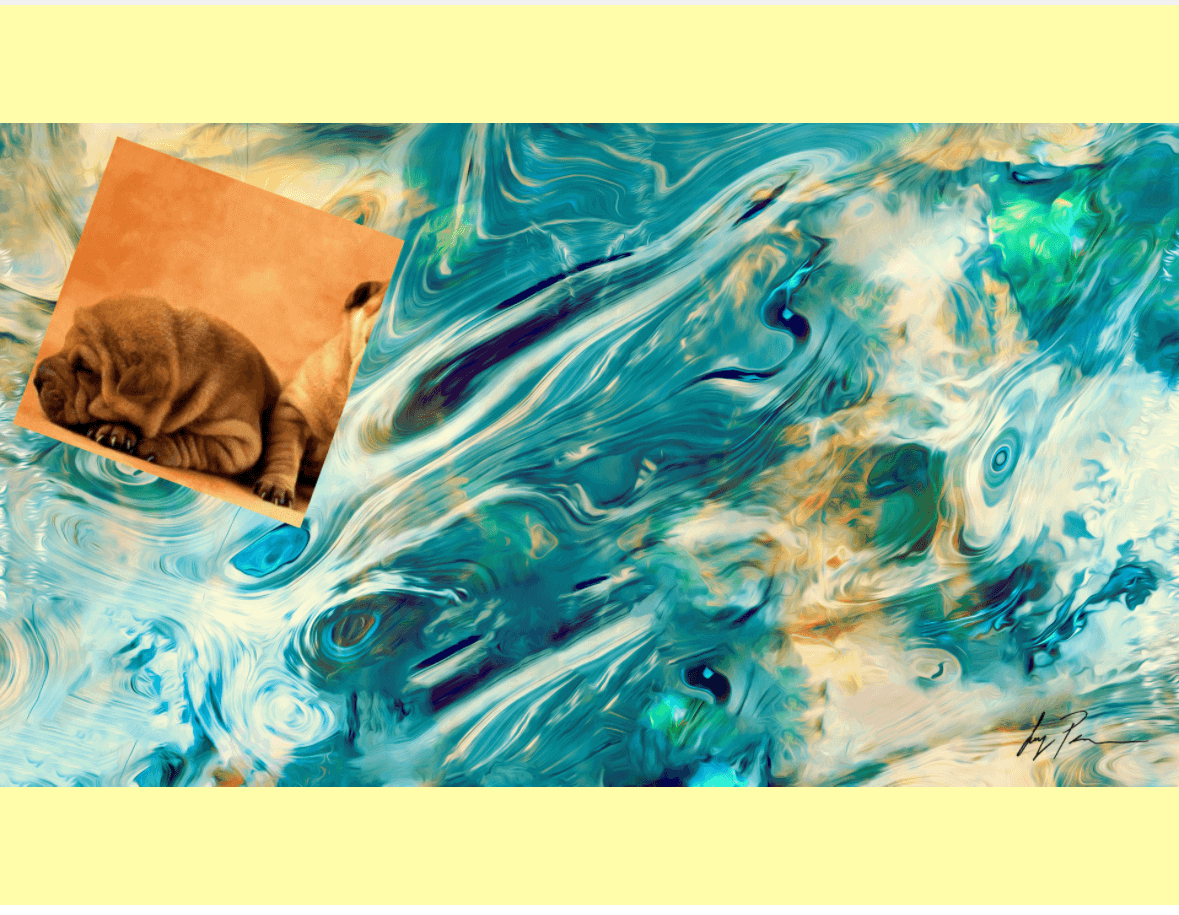
Example
example code
```typescript import Marker, { Position, TextBackgroundType } from "react-native-image-marker" ··· Marker.markImage({ backgroundImage: { src: require('./images/test.jpg'), scale: 1, }, watermarkImages: [{ src: require('./images/watermark.png'), position: { position: Position.topLeft, }, rotate: 30, }], }); ```Transparent background
Sample
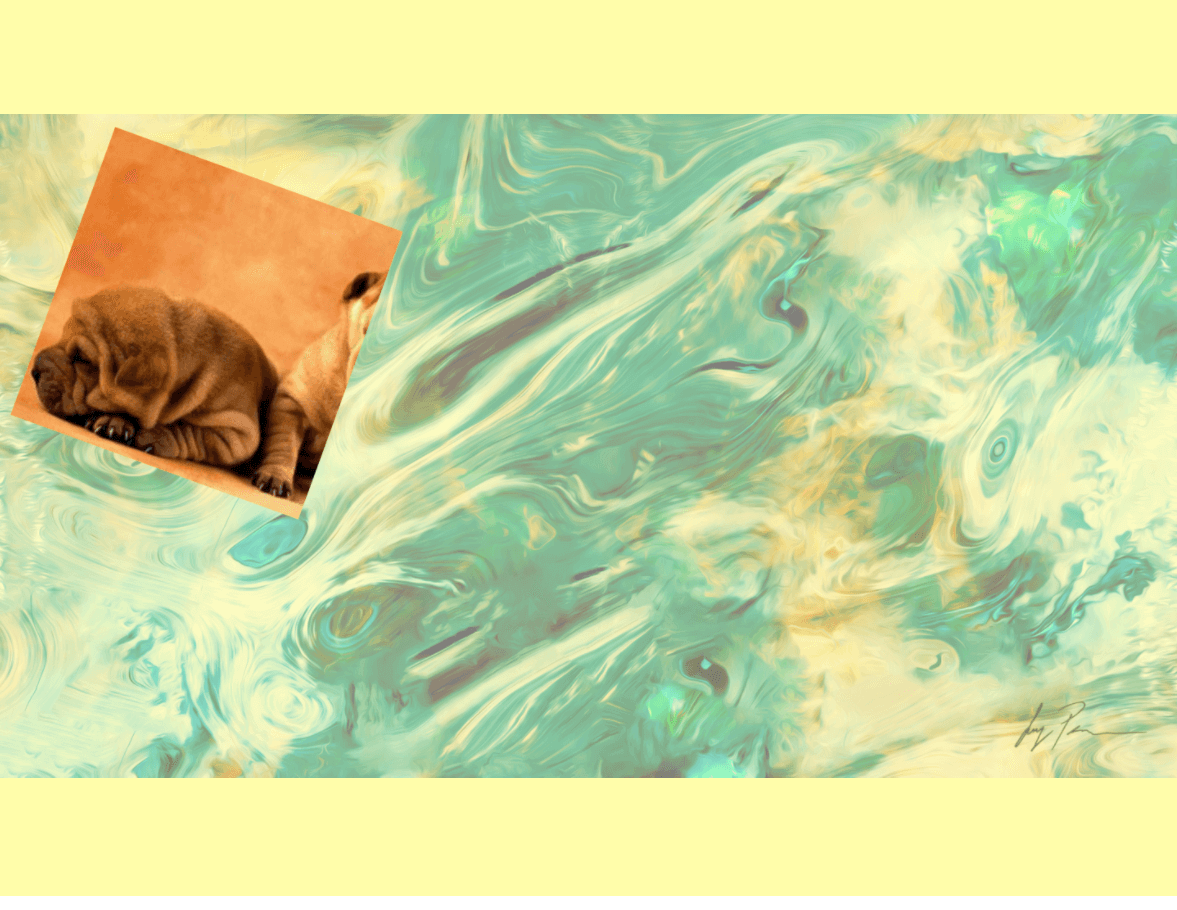
Example
example code
```typescript import Marker, { Position, TextBackgroundType } from "react-native-image-marker" ··· Marker.markImage({ backgroundImage: { src: require('./images/test.jpg'), scale: 1, alpha: 0.5, }, watermarkImages: [{ src: require('./images/watermark.png'), position: { position: Position.topLeft, }, }], }); ```Transparent icon
Sample
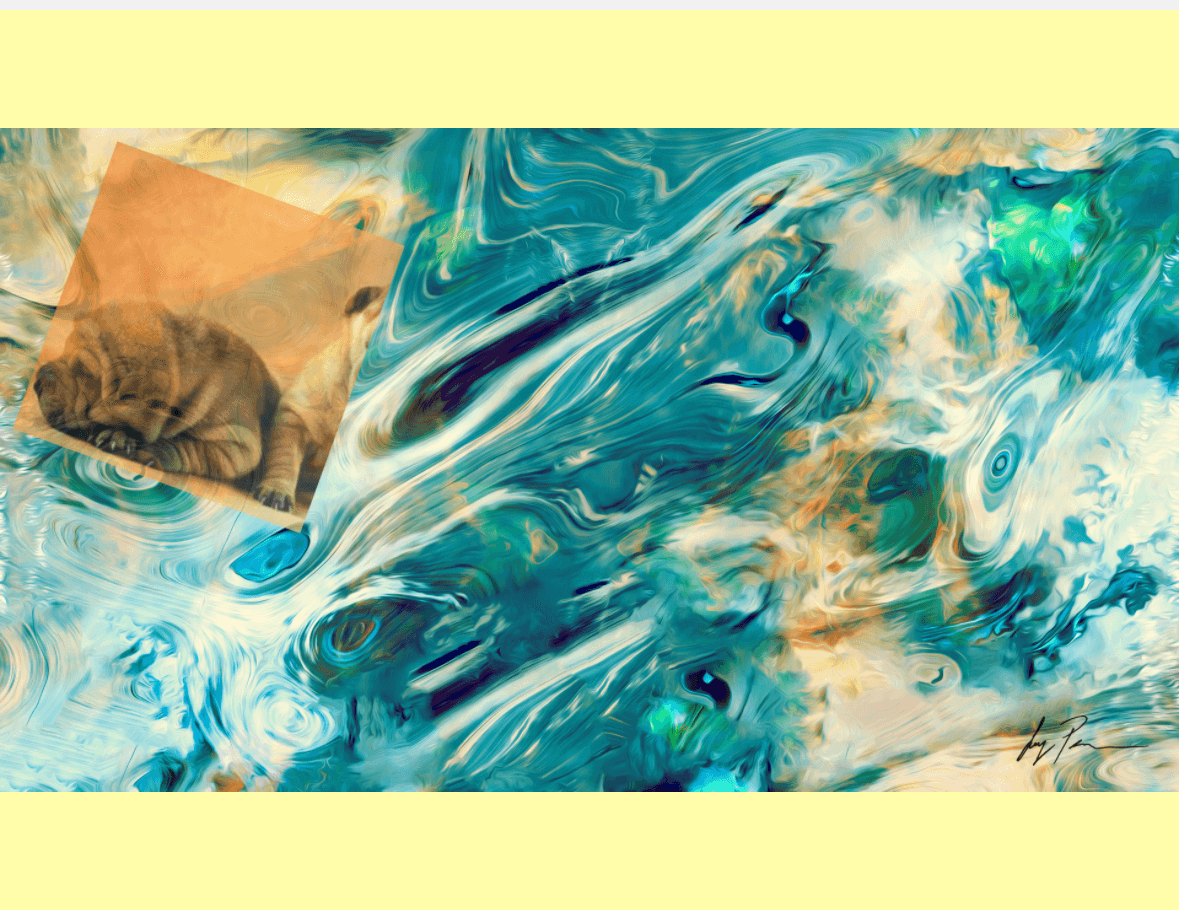
Example